SQLcl just got chatty. Grab version 25.2, fire it up with sql -mcp, and it spins up a lightweight Model Context Protocol (MCP) server so your favourite AI copilot can connect straight to Oracle Database without any plug‑ins or wrappers.
From there you simply describe what you want in plain English—“partition SALES by month,” “turn on In‑Memory analytics,”—and the copilot translates those words into the exact SQL or PL/SQL required. Suddenly, power features that used to demand deep expertise are just one sentence away, while SQLcl executes the code and records every step in the DBTOOLS$MCP_LOG audit table.
When you grant a large language model (LLM) access to your database, it introduces significant security risks. Because LLMs use the data you input to generate responses, you might inadvertently expose unintended tables or sensitive details.
To mitigate these risks, implement the following safeguards:
Assign minimum permissions: Configure the database user account used by the LLM with the absolute minimum permissions required for its tasks. This approach limits what the LLM can access.
Avoid production database access: Do not grant LLMs direct access to production databases. Instead, you should use a sanitized, read-only replica or a dedicated data subset.
Audit LLM activity: Regularly audit the queries executed by the LLM. This helps you detect anomalies or the attempts to access restricted data. To support your auditing efforts, the SQLcl MCP Server provides the following built-in monitoring capabilities:
Session tracking: It populates V$SESSION.MODULE with the MCP client in use, and V$SESSION.ACTION with the LLM’s name.
Activity logging: It creates a table named DBTOOLS$MCP_LOG that records every interaction and SQL execution.
Query identification: All LLM-generated queries through the SQLcl MCP Server’s tools include the following comment for easy identification in the logs: /* LLM in use ... */.
In this blog I’m going to explore 5 features that I have tried and can help you in your everyday job!
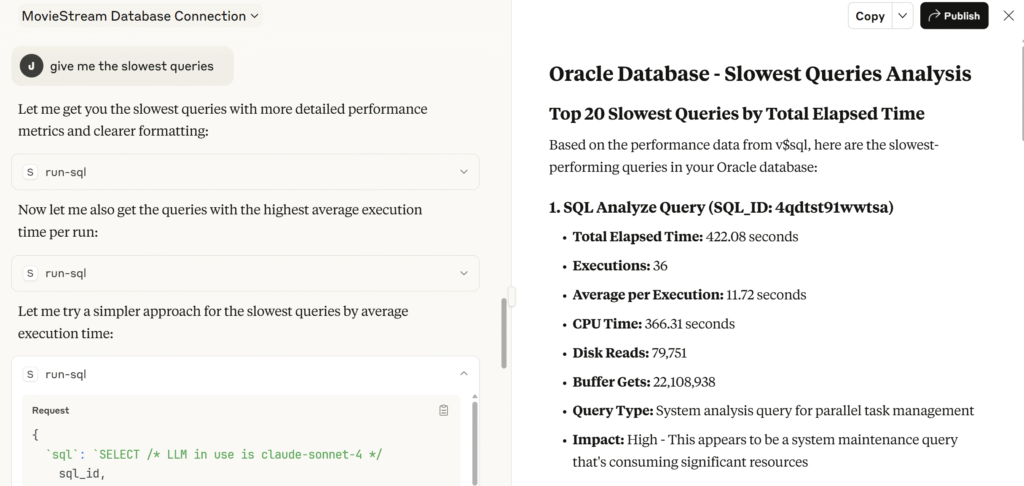
Demo 1: Find Slowest Queries
Do you have performance issues? Do you want to identify which are the queries which are performing bad? By just asking “give me the slowest queries” the LLM will run some queries to identify them and help you improve the performance if possible.
Bonus tip: You can use MCP and LLM to enable and work with Automatic Indexing from Autonomous Database and let the Oracle do that for you, but just using prompts!
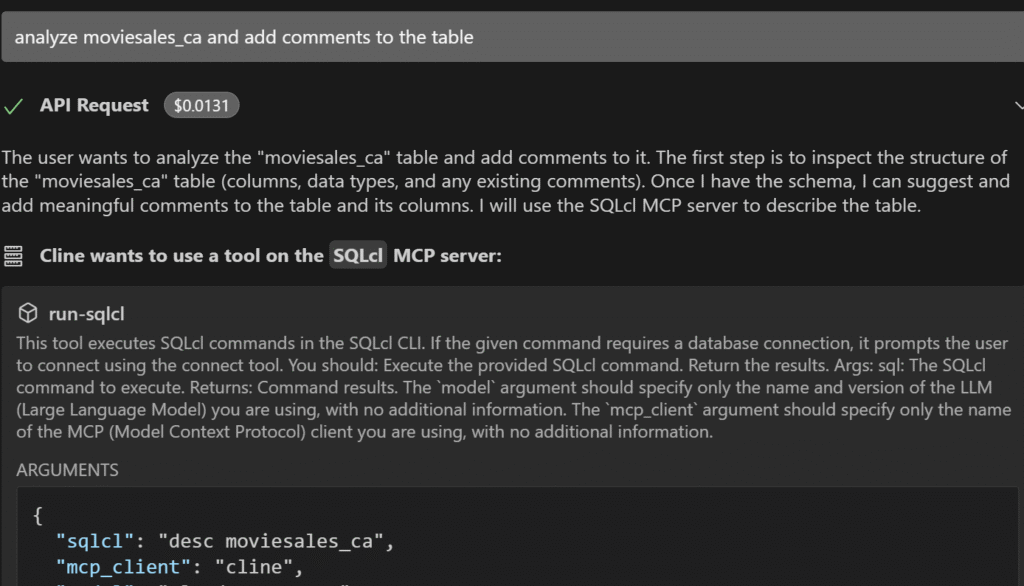
Demo 2: Document tables and columns
Do you want to speedup the development process? Or to enrich the metadata so other features like Select AI can take advantage of it? By allowing the LLM have a look into the data, you can add comments (or annotations in 23ai) to provide more insights.
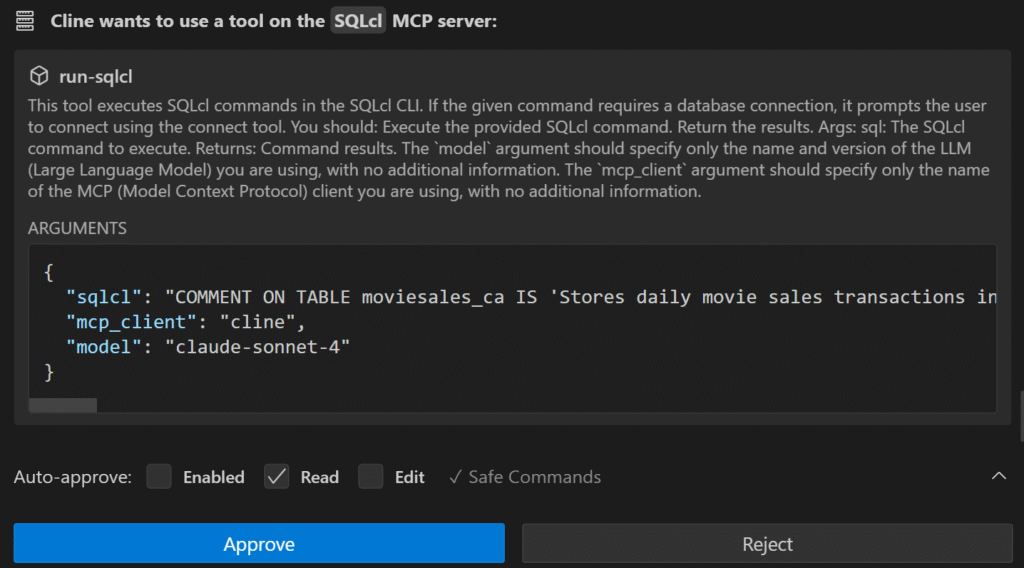
You can see that just defining the tables you want to enrich, will add the comments directly (on tables or columns, depends on what you define).
Demo 3: Materialized Views for faster performance
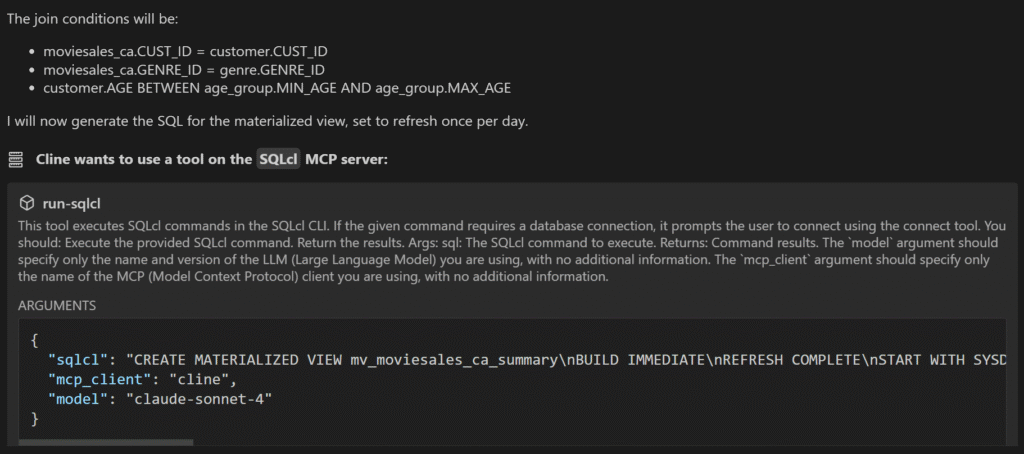
Materialized views is a great feature that improves the performance of analytical queries and help business users to get the answer faster. However there are many possibilities and configuration. That level of complexity can be handle by the LLM, which knows how to do that.
I have provided a very vague prompt, to see how it works. However if you ask which are the options, and how can help you it will do it! In this example has found the join conditions for the table I want and the refresh condition.
Demo 4: Use compression advisor to reduce storage cost
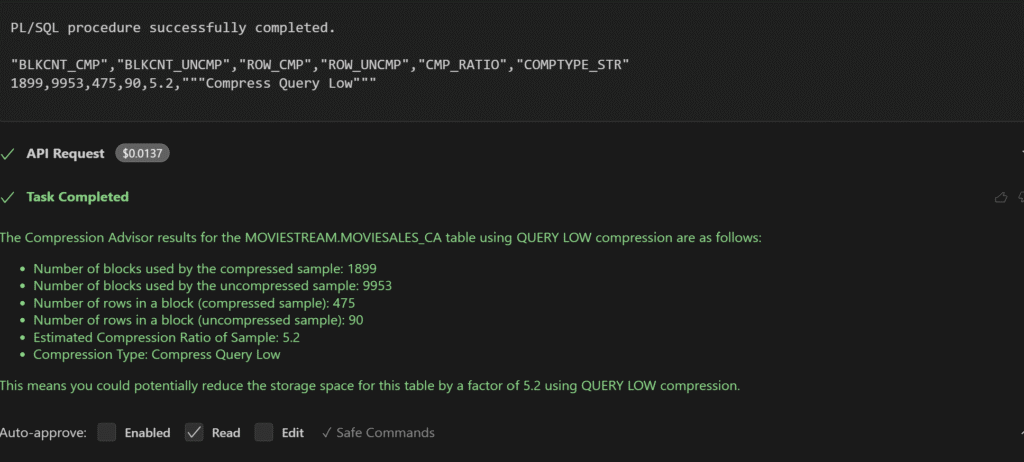
Do you want to save money on storage? Why not using compression advisor to find how much you can save? Compared with the example before, here I’m asking for more information. I ask the LLM to guide me in the process in case there is some information missing and which parameters I should use. Using this guided process is much useful in order to take advantage of advanced features.
Here you can see it has run the complete PL/SQL code and has provided me some compression ratio (5.2x) for a specific table!
Demo 5: SQL Domains for Data Quality
You can use LLM to validate Data Quality. But instead of looking into the data itself (that could be very costly and unsecure), you can use for example SQL Domains from 23ai to define specific data types with specific conditions. If that specific conditions are not met, the data will not be inserted.
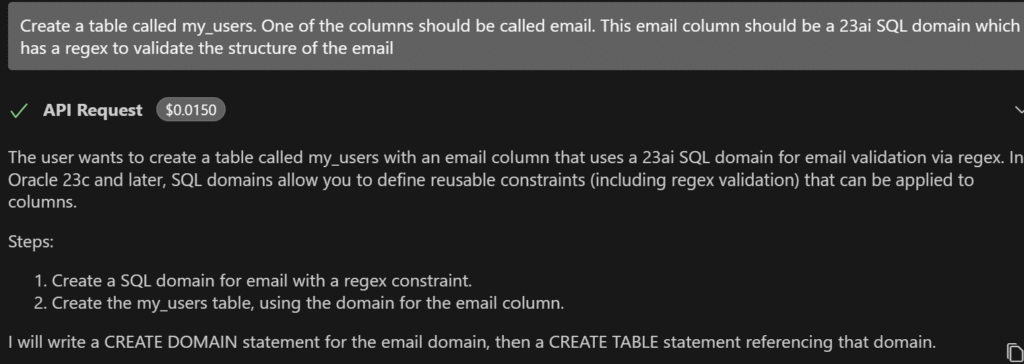
For example, I’m creating a SQL Domain for an email column. This column should have a specific regex to validate is the format I want. As I’m not an expert in regex, I let the LLM do that for me.
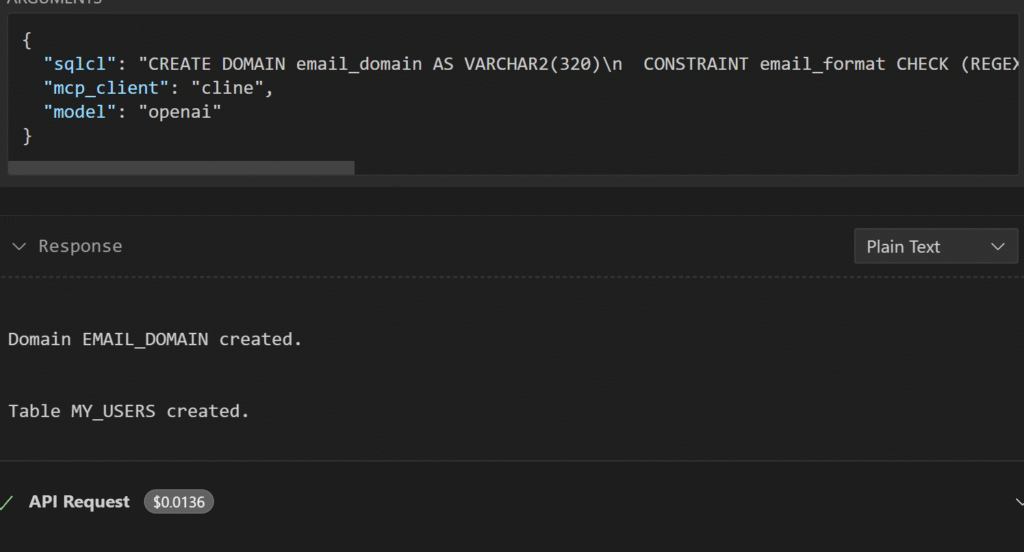
Here you can see how the email_domain is created and it is defining a regex.
In this blog you have seen how easy is to use advanced features by just using prompts. Even if you don’t have the knowledge, you can ask for a guided process to ask for parameters or information so you always know what are you doing.
Using this capabilities in Dev/Test environments will speedup the process of new Development or Data Engineering capabilities! Which other capabilities have you tested?